Negative Prompts 全攻略

在 Stable Diffusion 中 negative prompts 雖然沒有 prompts 重要,但是可以避免出現一些奇怪的圖片。以下就列出不同場景下最常用的 negative prompts 方便大家隨時使用。

Negative Prompts 全攻略

在 Stable Diffusion 中 negative prompts 雖然沒有 prompts 重要,但是可以避免出現一些奇怪的圖片。以下就列出不同場景下最常用的 negative prompts 方便大家隨時使用。


基本常用 negative prompts

worst quality, normal quality, low quality, low res, blurry, text, watermark, logo, banner, extra digits, cropped, jpeg artifacts, signature, username, error, sketch ,duplicate, ugly, monochrome, horror, geometry, mutation, disgusting

動漫人物用 negative prompts

bad anatomy, bad hands, missing fingers, extra fingers, three hands, three legs, bad arms, missing legs, missing arms, poorly drawn face, bad face, fused face, cloned face, three crus, fused feet, fused thigh, extra crus, ugly fingers, horn, realistic photo, huge eyes, worst face, 2girl, long fingers, disconnected limbs

真實人物用 negative prompts

bad anatomy, bad hands, missing fingers, extra fingers, three hands, three legs, bad arms, missing legs, missing arms, poorly drawn face, bad face, fused face, cloned face, three crus, fused feet, fused thigh, extra crus, ugly fingers, horn, cartoon, cg, 3d, unreal, animate, amputation, disconnected limbs

非成人內容 negative prompts

nsfw, nude, censored


除了手動加修 negative prompts,還可以使用 Textual Inversion 一次加入 negative embedding,通常入面會包含一系列相關的 negative prompts。

最常用的 negative prompts

修正一些人物的基本問題,可以視為常駐的 netgative prompts。
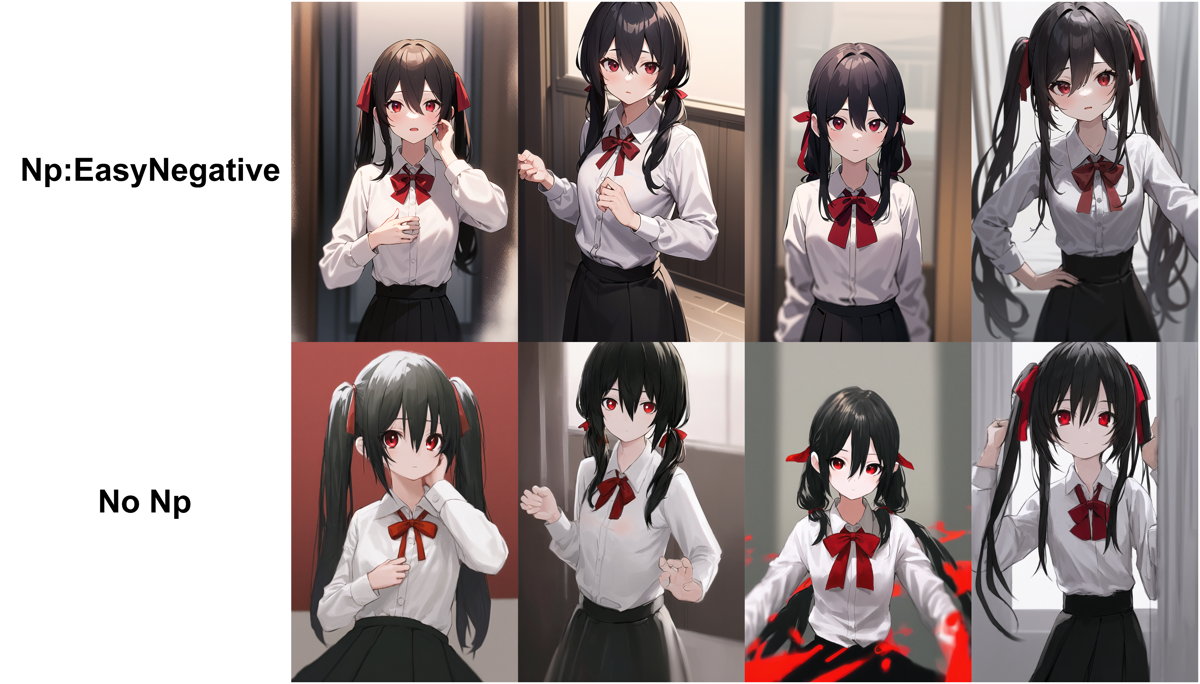
EasyNegative - EasyNegative | Stable Diffusion Textual Inversion | Civitai
Original Hugging Face Repository Simply uploaded by me, all credit goes to https://huggingface.co/gsdf . Counterfeit-V3 (which has 2.5 and 2.5 as w…
EasyNegative 下載頁

專門修復手部的 badhand

badhandv4 跟 bad-hands-5 不是同一個作者,bandhandv4 比較適合動漫人物使用。
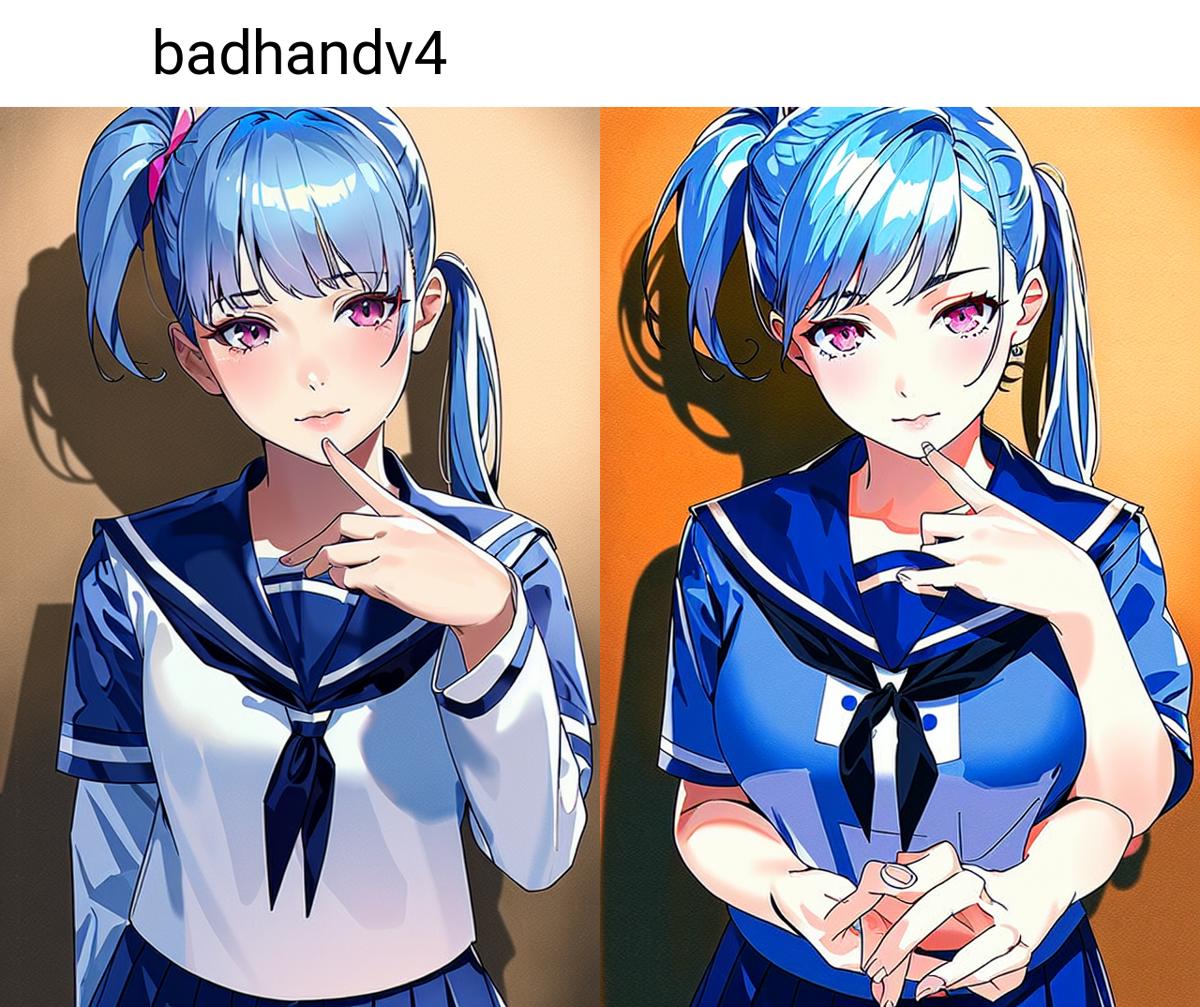
badhandv4 - AnimeIllustDiffusion - badhandv4 | Stable Diffusion Textual Inversion | Civitai
介绍(中文) 基本信息 此文本嵌入为负面文本嵌入。它能够在对画风影响较小的前提下改善AI生成图片的手部细节。如果它让你的模型表现得比以前更糟,请勿使用它。您可与其他负面文本嵌入一同使用。 如果你想使用效果更强的版本,请移步:NegativeEmbedding - AnimeIllustDiff…
badhandv4 下載頁
yesyeahvh/bad-hands-5 at main
We’re on a journey to advance and democratize artificial intelligence through open source and open science.
badhands5 下載頁

veryBadImageNegative

用來防止一些很差的圖像出現,作者說是 viewer-mix_v1.7 專用的,但在 Counterfeit 或其他 checkpoint 上還是會有效果得。
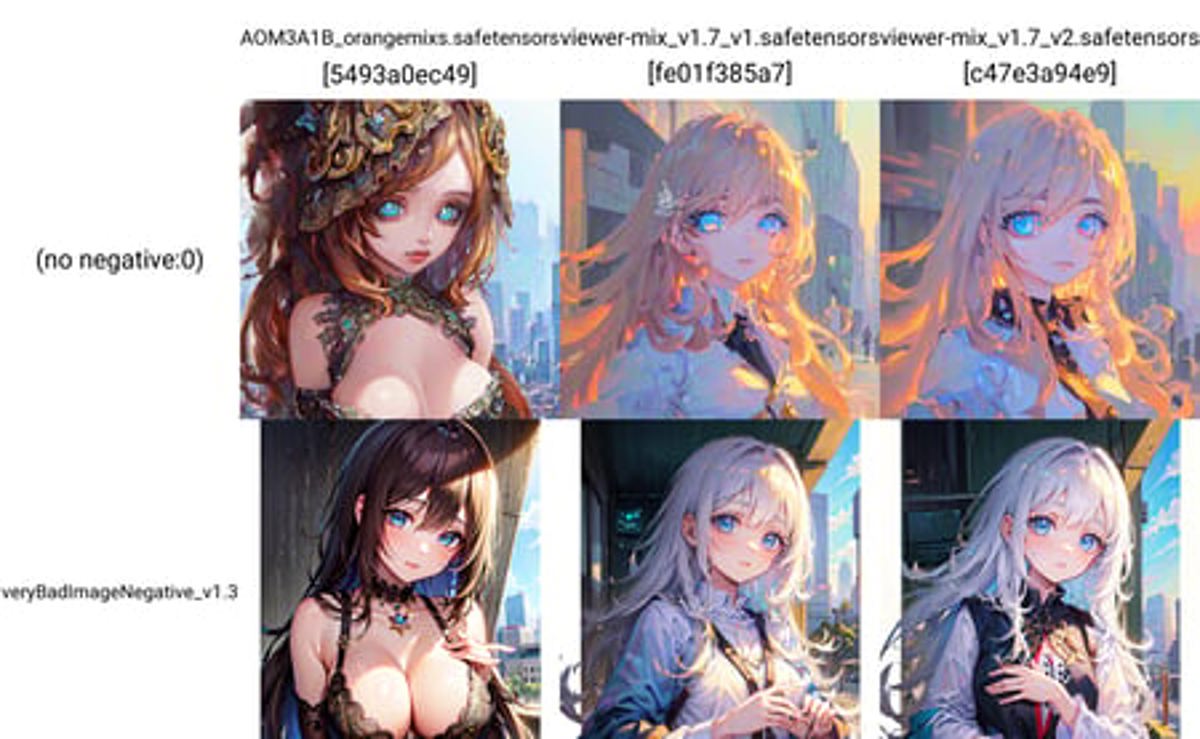
veryBadImageNegative - veryBadImageNegative_v1.3 | Stable Diffusion Textual Inversion | Civitai
v1.3 veryBadImageNegative_v1.3使用了新的训练图集,在AOM3和 viewer-mix_v1.7 中使用时表现较好。 veryBadImageNegative_v1.3 uses a new training atlas and performs well when…
veryBadImageNegative 下載頁

bad_prompt Negative

可以避免一些不好的 prompts 出現,適合不同場合使用。

bad_prompt Negative Embedding - bad_prompt_version2 | Stable Diffusion Textual Inversion | Civitai
bad_prompt Version 1 and 2 (reupload from Huggingface) ~Check out my new negative Embedding!~ Foreword Since alot of people asked for it. Here is a…
bad_prompt Negative 下載頁

Realistic Vision 專用的 Negative embedding

如果使用 Realistic Vision 可以用這個,可以使人物更好看。
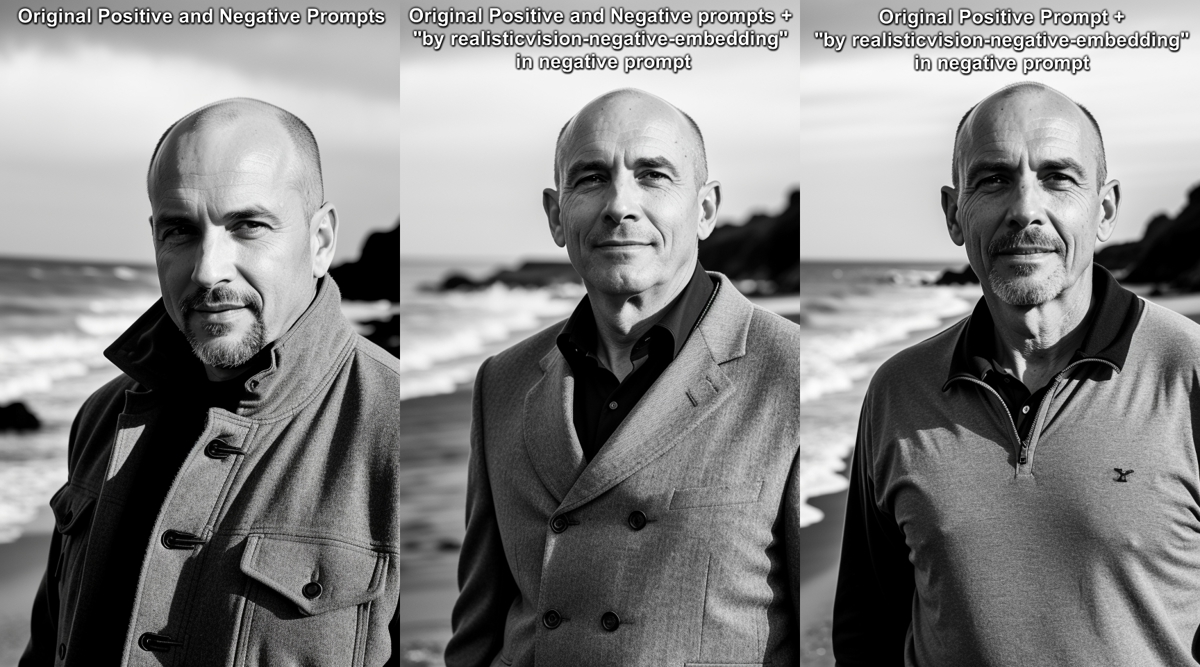
Negative Embedding for Realistic Vision v2.0 - v1.0 | Stable Diffusion Textual Inversion | Civitai
This is a 75 token negative embedding for the model Realistic Vision v2.0. It should you help attain a more realistic picture when prompting. All t…
Negative Embedding for Realistic Vision 下載頁

ChilloutMix 專用的 Negative embedding

如果使用 ChilloutMix 可以用這個,可以使人物更好看。
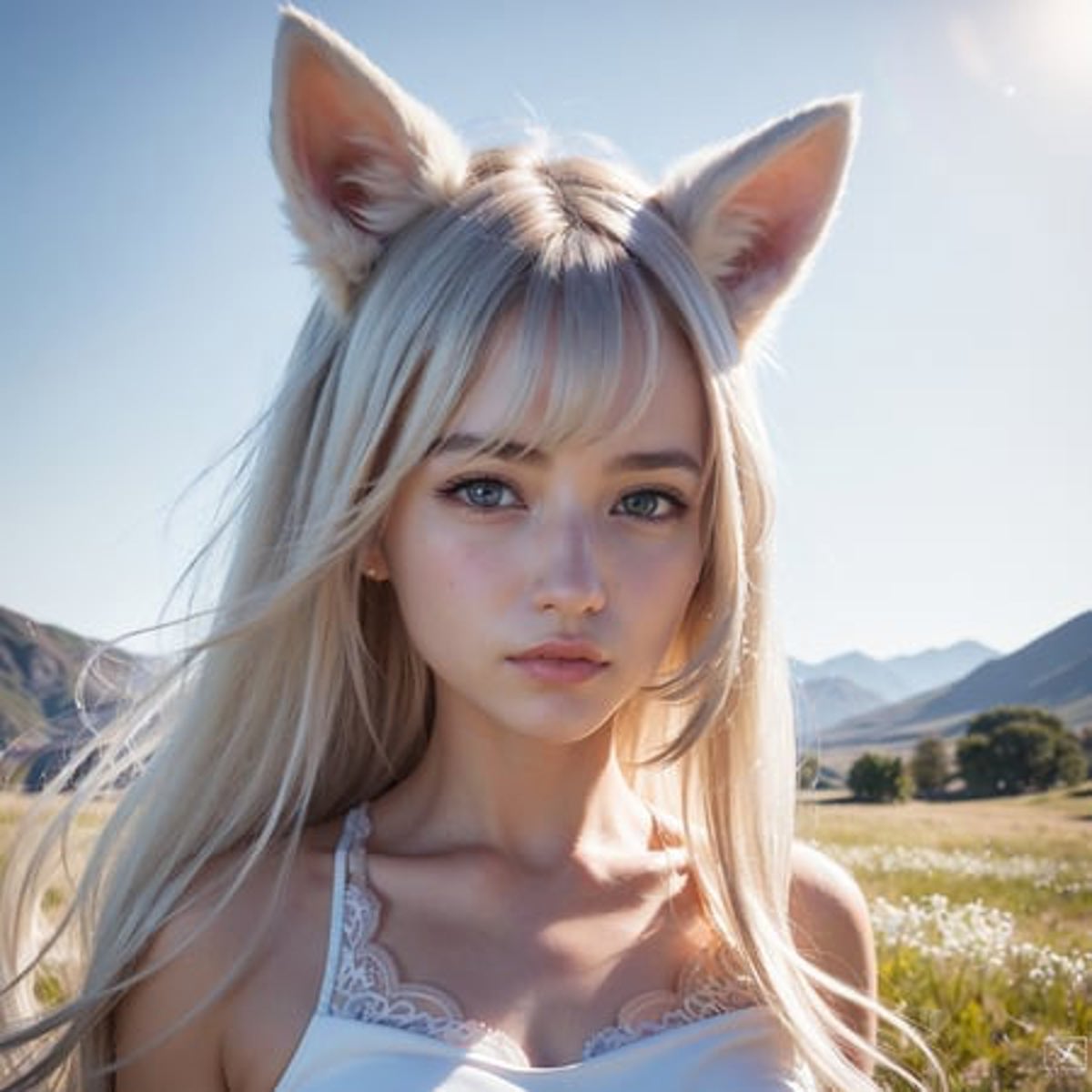
bad-picture negative embedding for ChilloutMix - 75 Vector Version | Stable Diffusion Textual Inversion | Civitai
March 17, 2023 edit: quick note on how to use a negative embeddings. You download the file and put it into your embeddings folder. Since I use A111…
bad-picture negative embadding 下載頁

Read more

Unity AI Assistant 2.7.0 將不再支援 MCP 連接

Unity AI Assistant 2.7.0 將不再支援 MCP 連接

相信有不少人用 Unity AI MCP 來連接 Claude Code / Codex 等 AI 工具進行開發,近日隨著 Unity AI 進入公測,Unity 官方 Package com.unity.ai.assistant 亦升級到 v2.7.0-pre.2 。這個新版本的 Unity AI Assistant 在 Unity MCP Server 上加上了限制,Connected Clients limit 在 0 個 direct connection(以前是 Unlimited),就是不讓開發者使用其他 AI 工具來支援開發。 官方也有說明可以怎樣做,

Game Engine 的選擇

Game Engine 的選擇

在前陣子在決定寫 game 的期間,我試用了三大主流 Game Engine 來實作 demo,現在比較一下 Unreal,Unity 及 Godot 適合什麼開發者。 自我定位 在開始選擇前,我首先要確定自己是什麼開發者,以什麼角度去選擇 Game Engine。 * 首先我是獨立開發者,就是一個人會負責所有東西,繪圖設計,故事劇情,程式開發,宣傳銷售,後續經營,所以簡單很重要。 * 我使用 Macbook Pro M1 來開發,由於我沒有 desktop,單靠效能有限的主機來開發,所以效能夠不夠對我來說也是很重要。 * 遊戲平台,我的初期目標是 Steam/Andriod/iOS,如果有成果才會推向各大主機,雖然三大 Game Engine 都支持多平台輸出,但實際上調查後發現還是有一些限制,我會在下面解釋。 * 遊戲類型,